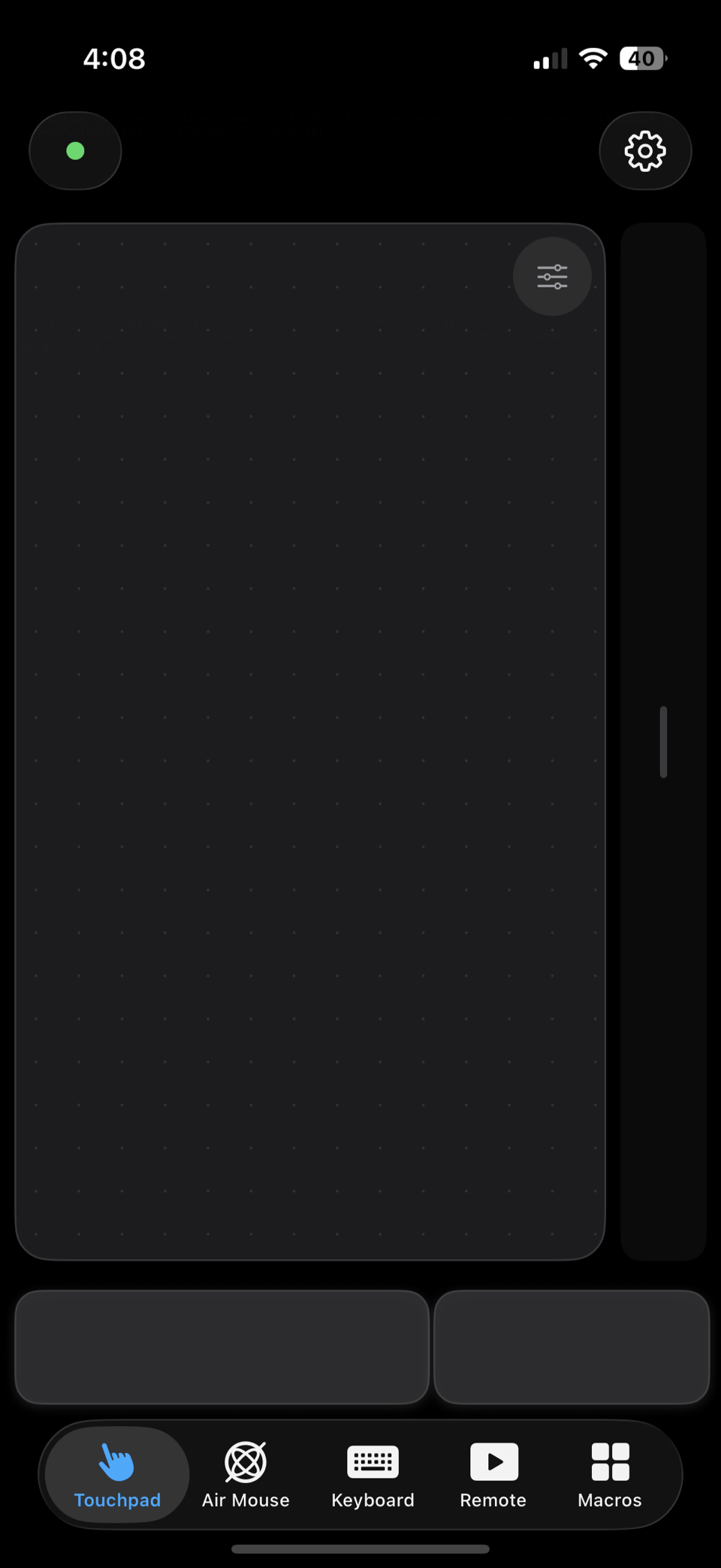
Touchpad
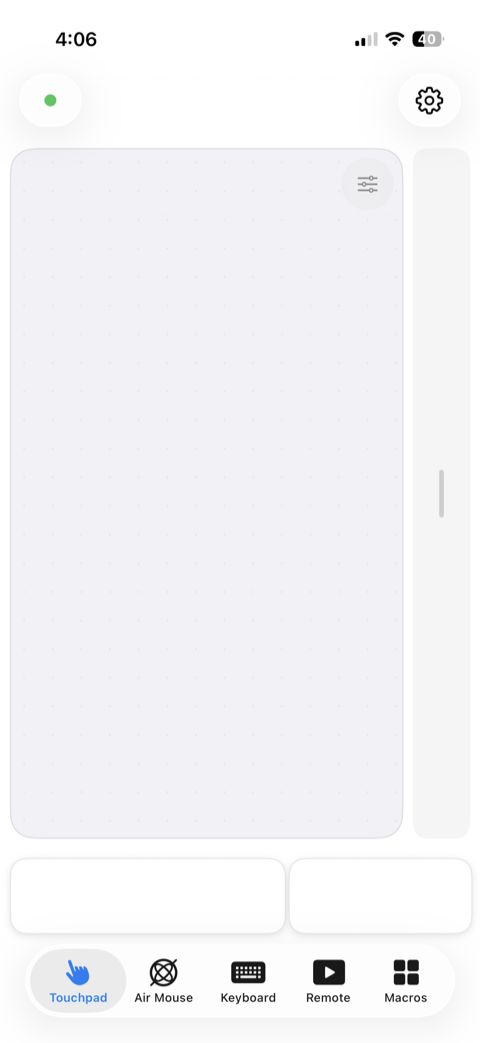
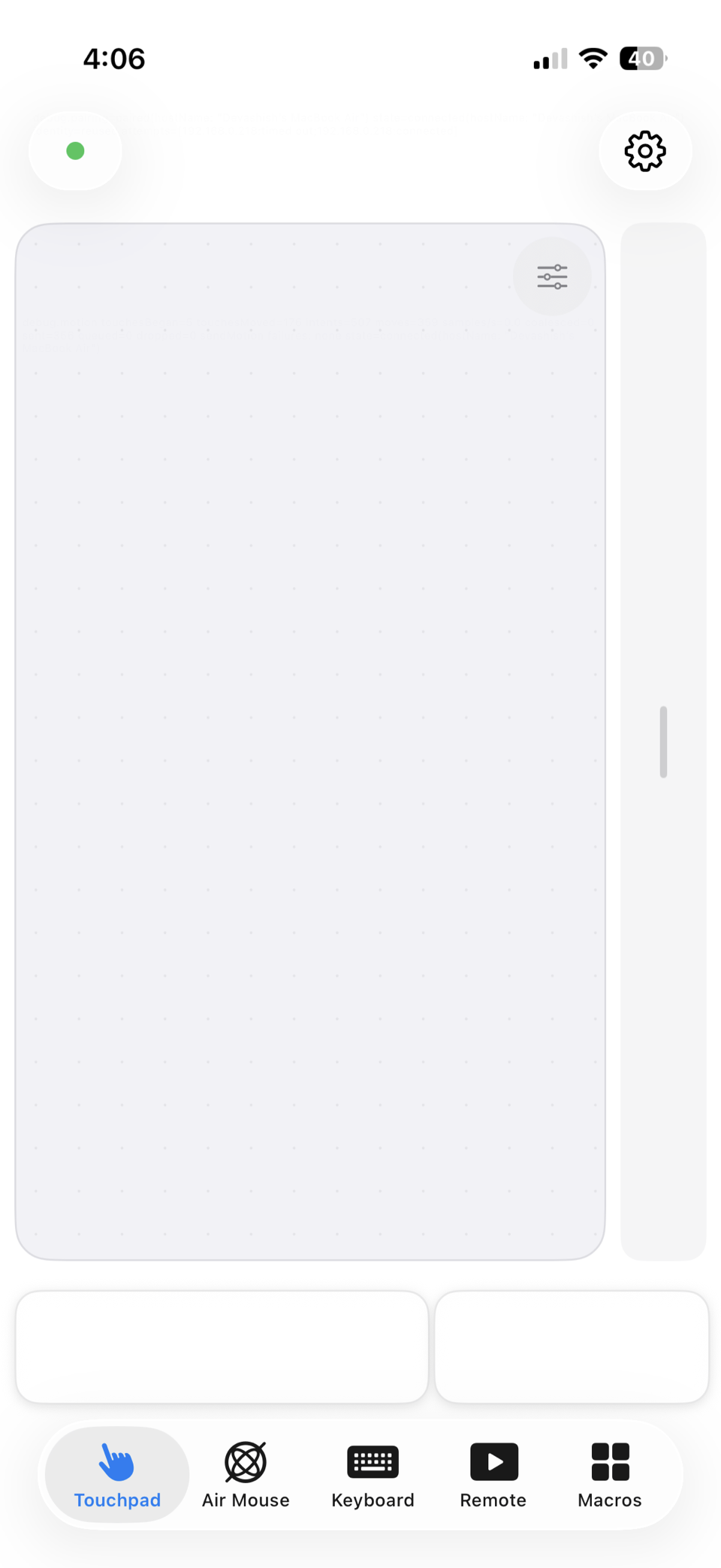
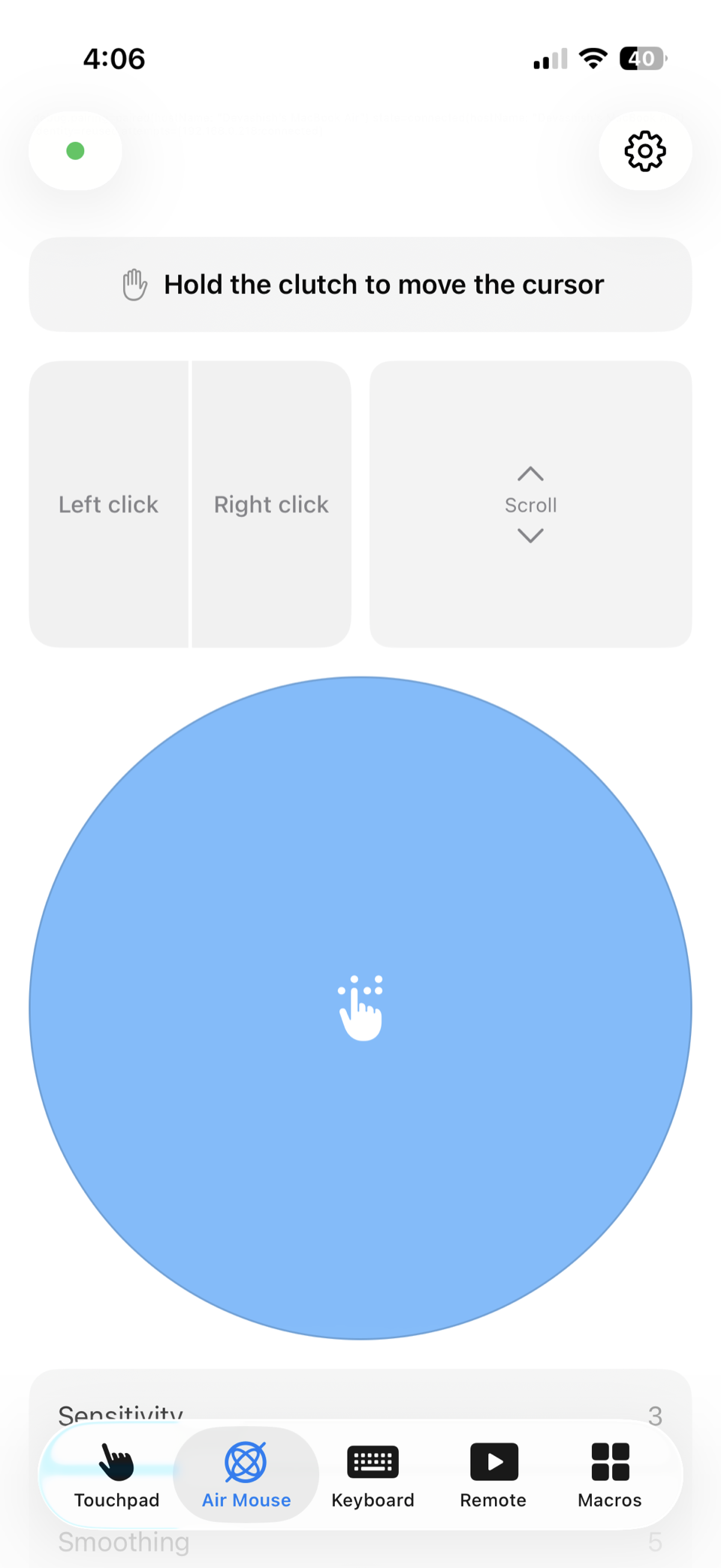
Slide. Tap. Scroll. Pinch.
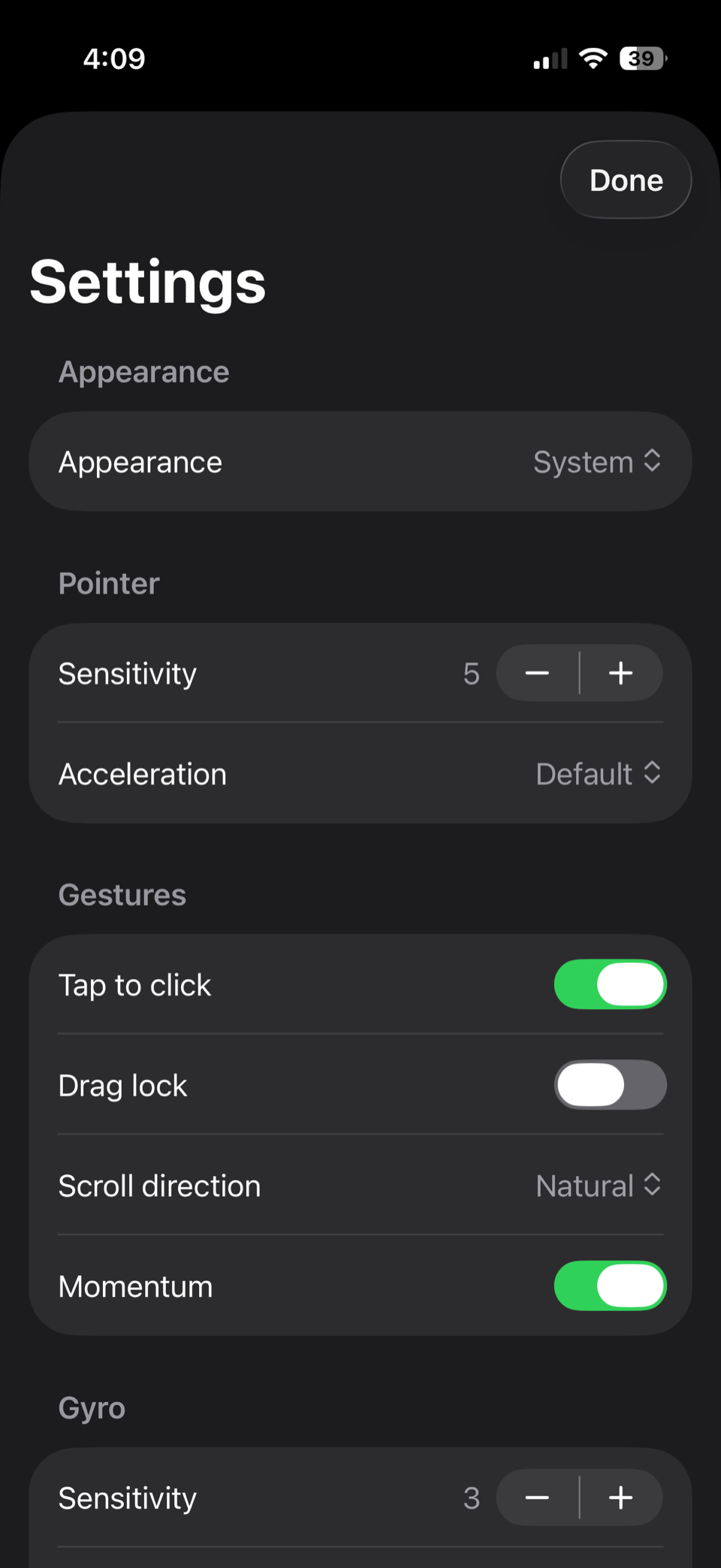
Slide to move the cursor, tap to click, two-finger scroll, pinch to zoom, and three-finger swipes for Mission Control.
CompatibilityiPhone, iPad
Air Control for iPhone and Mac
Also an air pointer, keyboard and presenter remote, all over Wi‑Fi.
Get it on iPhone
Scan with your camera to open this page on your phone, then join the waitlist.
Join the waitlistBuilt with
Illustration: an iPhone showing the Air Control touchpad screen, controlling a MacBook over Wi‑Fi, with the cursor following the touchpad.
Slide. Tap. Scroll. Pinch.
Slide to move the cursor, tap to click, two-finger scroll, pinch to zoom, and three-finger swipes for Mission Control.
CompatibilityiPhone, iPad
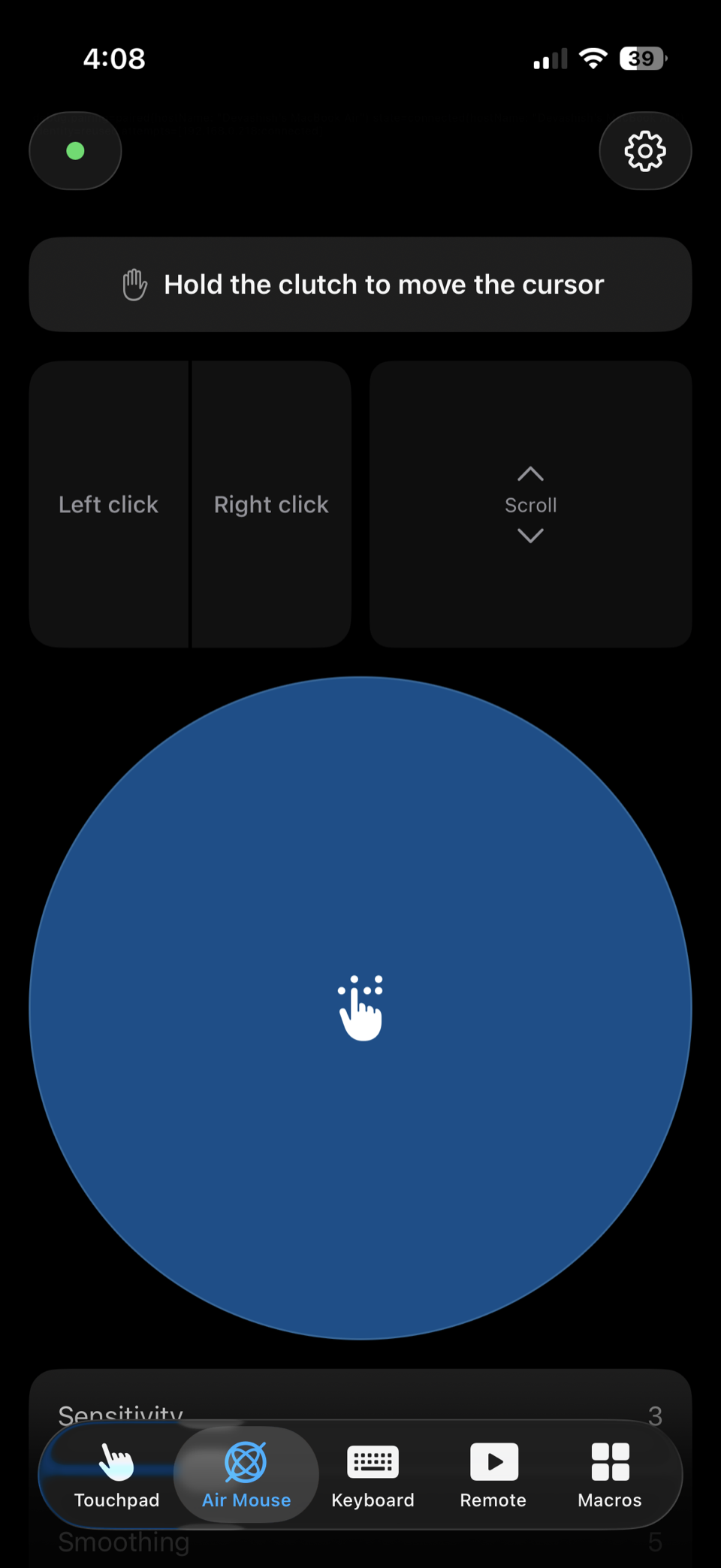
Point the phone. The cursor follows.
Gyroscope and accelerometer fusion with drift correction and a clutch button that holds the pointer still while you gesture.
CompatibilityiPhone, iPad
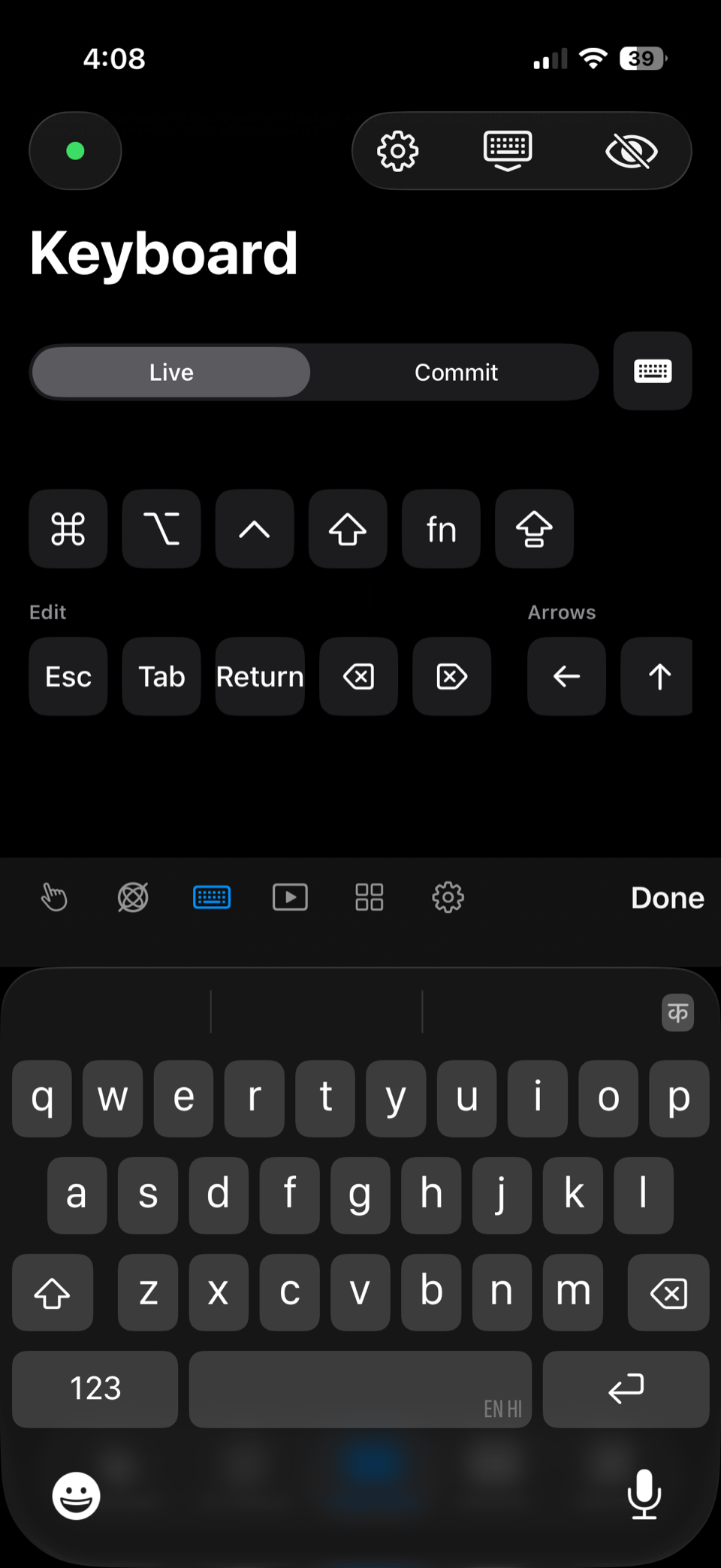
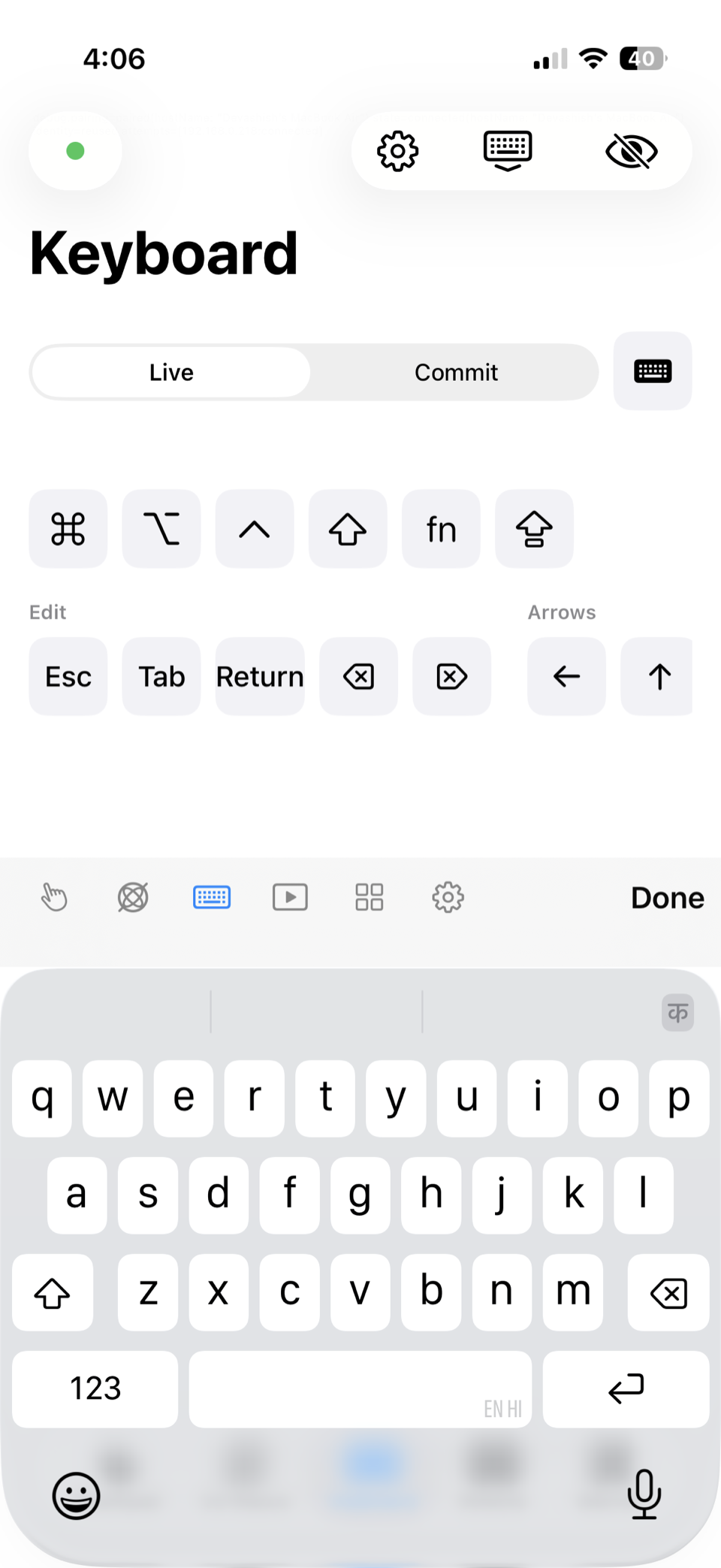
Type from the couch.
Types straight into whatever app is frontmost, with modifier chords, arrow and function keys, and a dedicated row for ⌘ ⌥ ⌃ ⇧.
CompatibilityiPhone, iPad
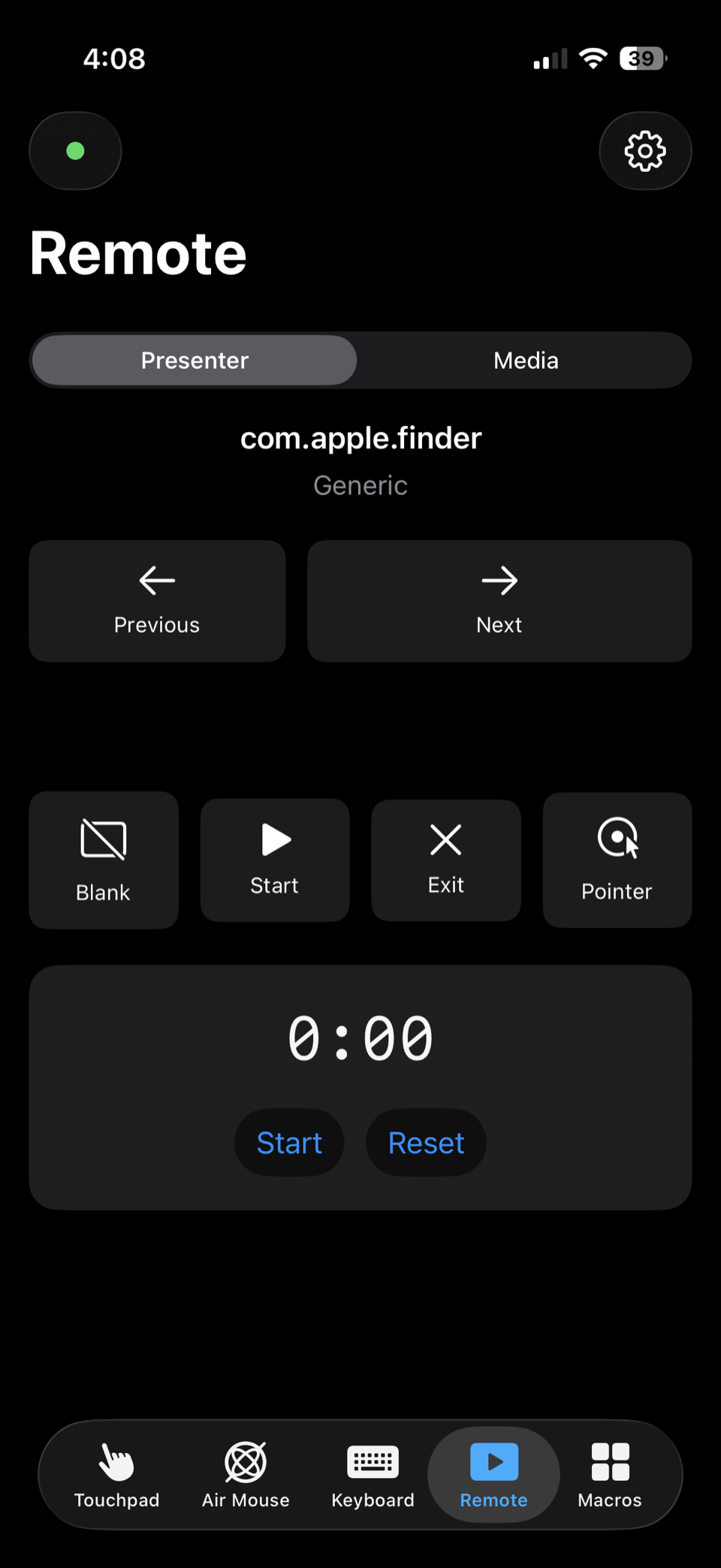
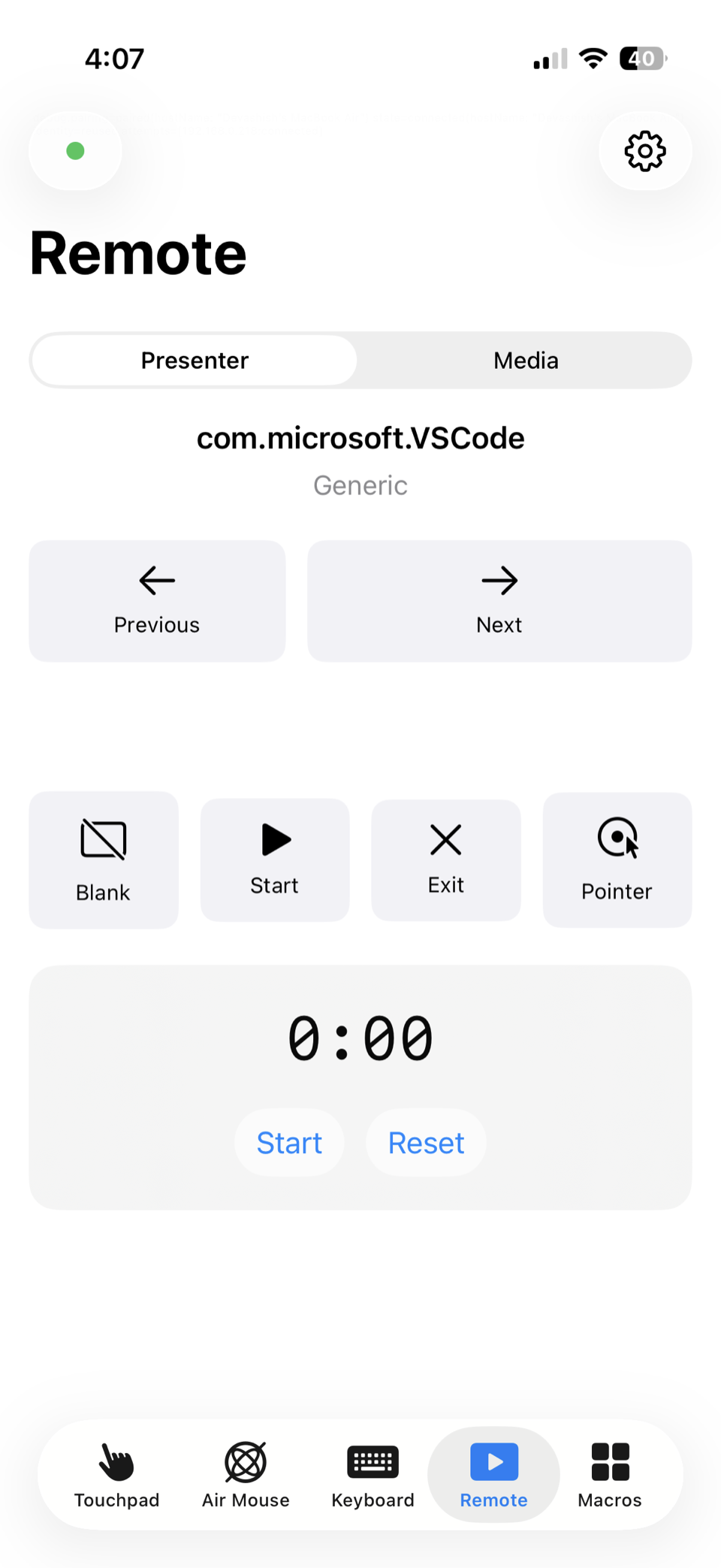
Next slide, without looking.
Large next, previous and blank-screen buttons you can hit without looking, plus volume, play-pause and track skip controls.
CompatibilityiPhone, iPad
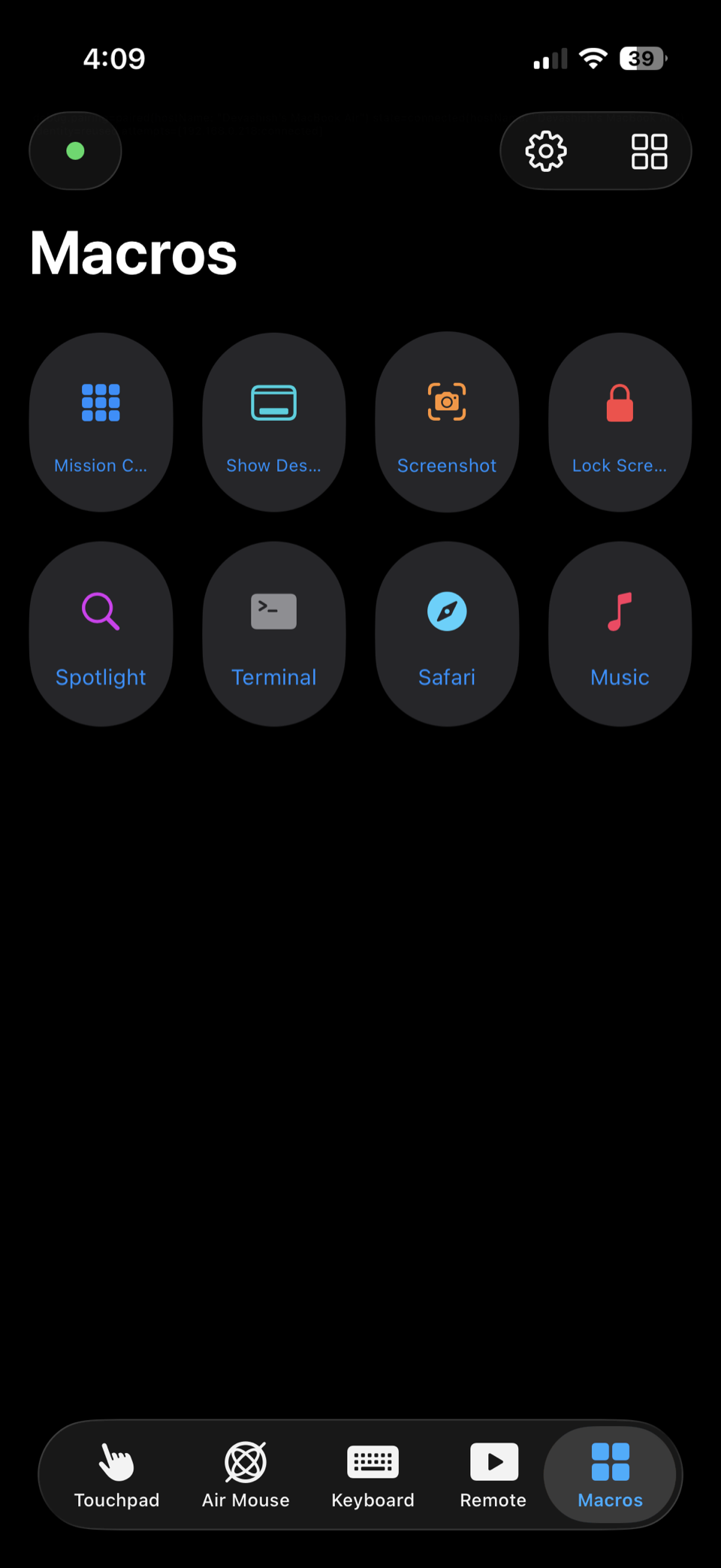
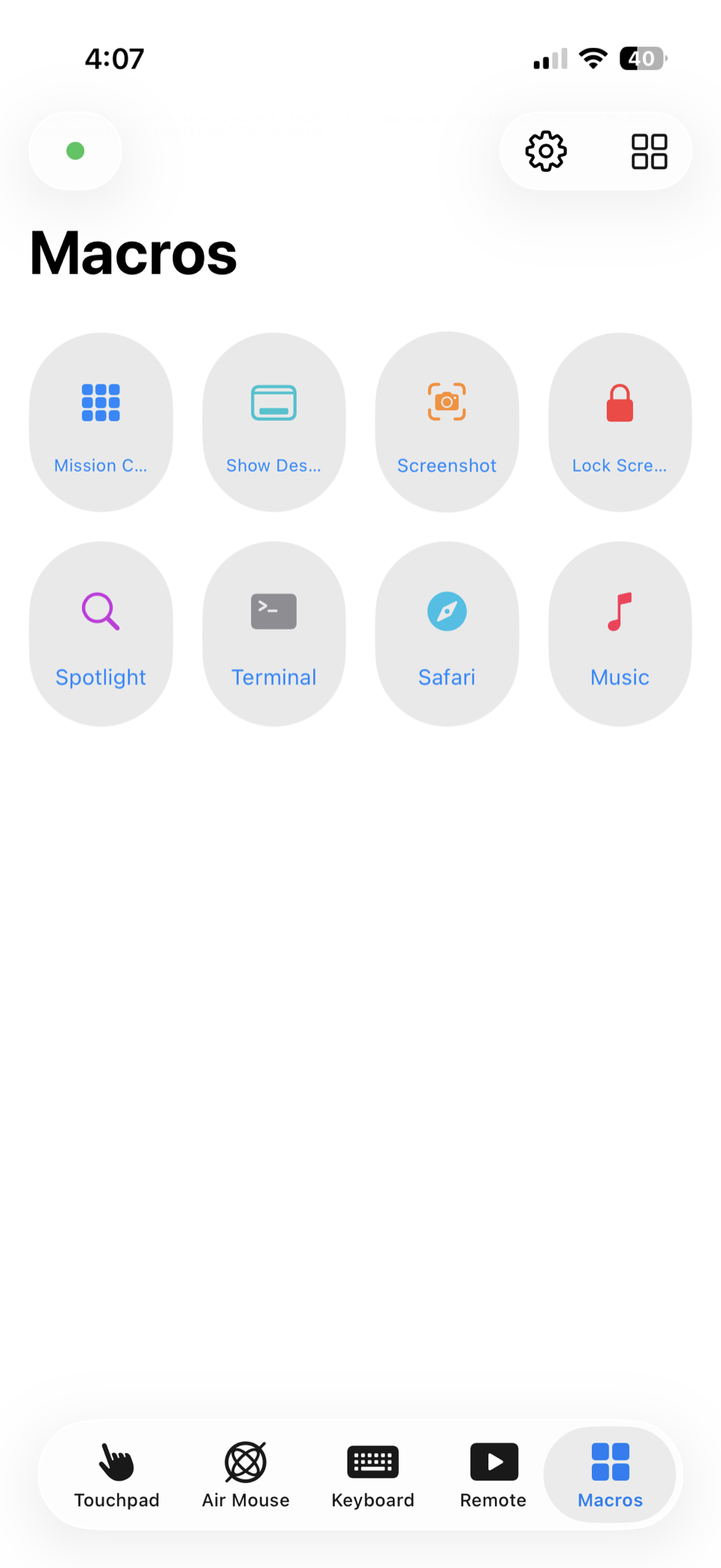
Your shortcuts, as buttons.
Define a key combo, an app or a Shortcut on the Mac, and it appears as a button on the phone.
CompatibilityiPhone, iPad
Bigger pad. Same speed.
An oversized touchpad plus a persistent keyboard and shortcut bar in landscape, with hardware keyboard pass-through.
CompatibilityiPad
iOS 18 or later
iPadOS 18 or later
macOS 15 Sequoia or later
A menu-bar app that asks for Accessibility once, its only permission, then starts at login and stays out of the way.
Point your phone at the QR code the helper shows, carrying a one-time secret that expires in 60 seconds.
The phone lands on the touchpad and reconnects on its own from then on, every time.
< 20 ms
motion latency, design target on 5 GHz Wi‑Fi
0
accounts, sign-ins or servers
0 bytes
of telemetry, ever
MIT
licensed and fully open
Local Wi‑Fi only. Nothing leaves your network.
Mutual TLS 1.3. Both ends verify each other’s certificate.
One-time pairing code. Valid for 60 seconds, used exactly once.
Zero telemetry. Nothing is collected, counted or phoned home.
Open source. Every line is public and MIT licensed.
Full threat model and disclosure process: SECURITY.md · Wire format: docs/protocol.md
Menu-bar helper · macOS 15 Sequoia or later
brew install --cask devashish2531/tap/air-controlHomebrew cask not published yet
iOS 18 / iPadOS 18 or later
Scan to open this page on your phone
Join the waitlist to hear when it ships
MIT licensed · Swift 6 · SwiftUI · Source on GitHub · Report an issue
macOS 15 Sequoia or later on the Mac, and iOS 18 / iPadOS 18 or later on the iPhone or iPad. Both devices need to be on the same Wi‑Fi network (or the Mac joined to the phone’s hotspot).
Moving the cursor and pressing keys on your behalf is exactly what the Accessibility permission governs on macOS, so there is no way around it. It is the only permission the helper asks for. It never requests Input Monitoring or Screen Recording, so it cannot read your keystrokes or see your screen.
Yes. Everything happens on the local network. A router with no uplink, or the phone’s own hotspot, is enough. Air Control never needs to reach the internet to pair, connect or run.
No. Wi‑Fi only. iOS does not let an app act as a Bluetooth HID peripheral, so a Bluetooth mouse or keyboard is not something any iPhone app can offer. Wi‑Fi is also considerably faster.
Yes. The iPad gets its own landscape layout with a large touchpad alongside a persistent keyboard and shortcut bar, and it passes an attached hardware keyboard through to the Mac.
Nothing. Air Control is free and MIT-licensed, with no subscription, no paid tier and no ads. If it is useful, the repository takes issues and pull requests.
Free, open source, and yours to inspect. Nothing to sign up for.
Free · MIT licensed · No accounts · Local Wi‑Fi only